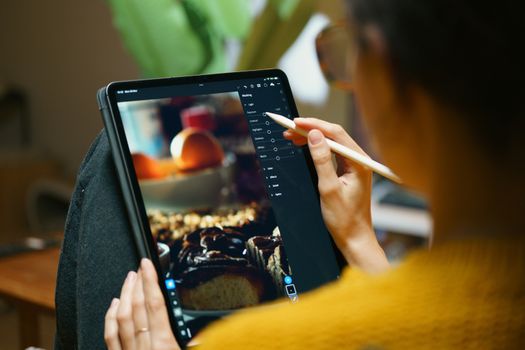
The Local’s Secret Weapon: Photo Editing Apps That Transform Your Travel Pics (And Make Them Go Viral!)
Remember that feeling? You’re scrolling through Instagram, eyes wide with wanderlust, admiring breathtaking shots of hidden alleyways, sun-drenched beaches, or bustling markets. You see a local photographer’s feed, and every single photo is a masterpiece – vibrant, perfectly composed, bursting with life. Then you look at your own phone, at the perfectly nice but somehow… flat photos from your last trip. The vibrant street art of Lisbon looks dull, the stunning caldera of Santorini seems a little washed out, and that incredible plate of Pad Thai in Bangkok just doesn't pop.
I've been there. Oh, have I been there! My early travel photos were a testament to my enthusiasm but certainly not my photography skills. I remember a trip to Marrakech, armed with my trusty smartphone, convinced I was capturing the magic of the souks. But when I looked back, the intricate patterns were lost in shadows, the vibrant spices looked muted, and the bustling energy felt… static. I’d see local artists and photographers posting their shots, and it was like they were visiting a different, more colorful Marrakech. What was their secret? Was it their camera? Their eye?
Turns out, it was a bit of both, but mostly, it was the magic wand they wielded after the shutter clicked: photo editing apps.
For years, I believed editing was "cheating" or something only professional photographers did with expensive desktop software. I thought "authentic" meant untouched. Boy, was I wrong! What I discovered was that locals weren't trying to fake reality; they were enhancing it, correcting for tricky lighting, bringing out the true colors their eyes saw, and adding that extra spark that makes a photo unforgettable. They were making their city shine, and they weren’t gatekeeping the tools. They were just using them!
So, I dove headfirst into the world of mobile photo editing, experimenting with dozens of apps, learning from local creators, and transforming my own travel photography from "meh" to "OMG, where is that?!" Today, I'm pulling back the curtain on the apps and techniques that will elevate your travel photos from mere snapshots to share-worthy, viral-potential masterpieces. These are the tools that locals often use to make their destinations look irresistible, and now, they can be yours too.
Let’s get started.
1. The Foundation: Why Editing is Your Travel Photo's Best Friend (Not Its Enemy)
Before we dive into the apps, let's address a common misconception: editing isn't about creating something false. It's about bringing out the best in what you’ve already captured. Think of it like this: your camera, while amazing, doesn't always see the world exactly as your eyes do. It struggles with dynamic range (bright skies and dark shadows), it can misinterpret colors, and it certainly can't remove that rogue tourist photobombing your perfect shot of the Eiffel Tower.
Editing allows you to:
* Correct Imperfections: Adjust exposure, white balance, and contrast.
* Enhance Colors: Make the blues of the Aegean Sea more vibrant or the greens of a Bali rice paddy more lush.
* Refine Composition: Crop out distractions, straighten horizons, or fix leaning buildings.
* Tell a Story: Use color grading and mood to evoke the feeling of a place.
* Remove Distractions: Get rid of litter, power lines, or unwanted people.
My epiphany came after a sunset photo in Mykonos. The sky was ablaze with fiery oranges and purples, but my phone captured a dull, underexposed mess. A few minutes with an editing app, tweaking the highlights, shadows, and saturation, transformed it into something that finally resembled the breathtaking scene I witnessed. It wasn't fake; it was realized.
2. The Big Guns: Pro-Level Power in Your Pocket (Paid & Premium Apps)
These are the heavy hitters, often favored by serious travel bloggers and local influencers for their robust features and professional results. While some offer free versions, their true power often lies in their premium subscriptions.
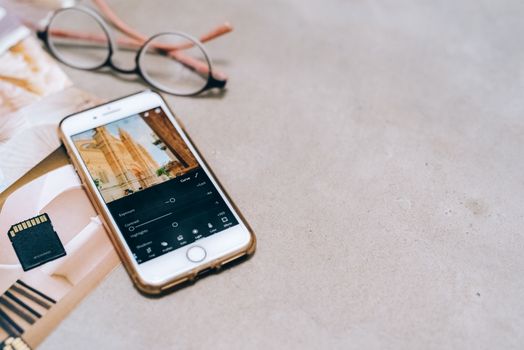
Adobe Lightroom Mobile: The Industry Standard for a Reason
* What it is: The mobile version of Adobe’s powerful photo editing software, offering professional-grade tools in a user-friendly interface.
* Why locals love it: Unparalleled control over color, light, and detail. You can edit RAW files (if your phone supports them), giving you maximum flexibility. The ability to create and apply custom presets is a game-changer for maintaining a consistent aesthetic across your feed.
* Key Features:
* Presets: Apply one-tap filters, then fine-tune them. You can even buy or create your own custom travel presets for a signature look.
* Selective Adjustments: Precisely edit specific areas of your photo (e.g., brighten just the face, deepen the sky). This is HUGE for making elements pop.
* Healing Brush: Magically remove small blemishes or unwanted objects.
* Geometry Tools: Fix perspective distortions, especially useful for architectural shots.
* Cloud Sync: Edit on your phone, and your changes sync to your desktop Lightroom.
* Personal Anecdote: I once took a photo of an ancient temple in Kyoto, but the sky was completely blown out. With Lightroom's selective adjustments, I was able to recover detail in the clouds while keeping the temple perfectly exposed. It saved the shot from being just another "nice try."
* Price: Free version with core features; premium subscription (part of Adobe Creative Cloud, usually around $9.99/month) unlocks all features, cloud storage, and desktop access.
VSCO: The Aesthetic Master for Film-Like Vibes
* What it is: Known for its iconic film-inspired filters and advanced editing tools, VSCO helps you create a cohesive, artistic feed.
* Why locals love it: VSCO is all about the mood. Its filters (or "presets" in VSCO language) are sophisticated and mimic classic film stocks, giving your photos a timeless, cinematic quality. Many local photographers use VSCO to give their city a particular artistic vibe – think moody street photography or warm, nostalgic travel diaries.
* Key Features:
* Extensive Filter Library: Hundreds of filters, ranging from subtle enhancements to dramatic transformations.
* Advanced Editing Tools: Fine-tune exposure, contrast, saturation, grain, fade, and split tone for truly unique looks.
* Recipe Saving: Save your favorite editing sequences to quickly apply them to other photos.
* Community: Share your creations and discover inspiration from other creators.
* Personal Anecdote: For my photos of Parisian cafes and cobblestone streets, I often turn to VSCO. Its classic black and white filters or subtle warm tones perfectly capture that romantic, slightly melancholic feeling of the city. It transforms a simple snapshot into a story.
* Price: Free version with basic filters and tools; VSCO X membership (around $19.99/year) unlocks the full preset library and advanced features.
TouchRetouch (or Facetune for more extensive portrait work): The Magic Eraser
* What it is: A specialized app designed for seamlessly removing unwanted objects, blemishes, or distractions from your photos. Facetune has similar object removal but is more known for portrait retouching.
* Why locals love it: This is the unsung hero for those "empty" shots of popular landmarks. No matter how early you wake up, there's often something in the frame you wish wasn't there – a rogue tourist, a trash can, an ugly sign. TouchRetouch makes them vanish.
* Key Features (TouchRetouch):
* Object Removal: Simply paint over the unwanted object, and the app intelligently fills the space.
* Line Removal: Erase power lines, wires, or fences with ease.
* Spot Remover: Quick fixes for small blemishes or imperfections.
* Clone Stamp: Manually copy pixels from one area to another for complex removals.
* Personal Anecdote: I was at the Trevi Fountain in Rome, and despite the crowds, managed to get a decent shot – except for a bright orange backpack someone left on the edge of the fountain. With TouchRetouch, it was gone in seconds, leaving behind a pristine, picture-perfect scene. It’s the ultimate app for making it look like you had a place all to yourself.
* Price: One-time purchase (around $1.99-$3.99). Facetune is subscription-based (around $6.99/month).
3. Free & Fantastic: Budget-Friendly Brilliance That Delivers
You don't need to break the bank to achieve stunning results. These free apps are incredibly powerful and often pack features found in their paid counterparts.
Snapseed: Google's Powerhouse for Detailed Edits
* What it is: A comprehensive, professional photo editor developed by Google, packed with an impressive array of tools and an intuitive interface.
* Why locals love it: Snapseed is a workhorse. It offers precise control over every aspect of your image, from global adjustments to highly localized edits, all for free. It's often the first stop for quick yet impactful adjustments.
* Key Features:
* Tune Image: Basic adjustments like brightness, contrast, saturation, ambience, highlights, shadows, and warmth.
* Selective Adjustment: My personal favorite! Place a "control point" on a specific area and adjust its brightness, contrast, or saturation without affecting the rest of the image. Perfect for brightening a dark face or making a specific color pop.
* Healing: Similar to TouchRetouch, great for removing small objects.
* Perspective: Correct crooked horizons or fix distorted buildings.
* Brush Tool: Apply effects (exposure, temperature, saturation) to specific areas.
* HDR Scape: Give your photos a dramatic, high-dynamic-range look.
* Personal Anecdote: I captured a gorgeous sunrise over the Bosphorus in Istanbul, but the foreground was a little too dark. Using Snapseed's selective adjustment, I brightened just the boats and the water without overexposing the already bright sky. It's incredibly precise and a total lifesaver for tricky lighting situations.
* Price: FREE!
PicsArt: The Creative Playground for Unique Edits
* What it is: A versatile all-in-one photo and video editor, collage maker, and drawing tool with a huge community and endless creative options.
* Why locals love it: While Lightroom focuses on refinement, PicsArt excels at creative transformation. Locals use it for everything from adding artistic overlays to creating dynamic collages for stories, removing backgrounds to place themselves in fantastical scenes, or adding fun stickers that reflect local culture.
* Key Features:
* Background Remover: Cut out subjects from their backgrounds with surprising accuracy.
* Collage Maker: Create stunning photo grids and collages.
* Effects & Filters: A vast library of artistic effects, magic filters, and distortions.
* Stickers & Text: Add emojis, custom stickers, and stylish text overlays.
* Drawing Tools: Unleash your inner artist with brushes and layers.
* Dispersion Tool: Create cool "shattered" effects.
* Personal Anecdote: I used PicsArt to create a fun, whimsical edit of myself on a Bali jungle swing. I removed the original background and replaced it with a more dramatic, misty jungle scene, then added some ethereal light effects. It turned a good photo into a truly unique, shareable piece of content that went viral among my friends!
* Price: Free with in-app purchases and a premium subscription for full access.
Foodie: Making Your Meals Instagram-Worthy
* What it is: Specifically designed for food photography, this app offers a range of filters and features to make your culinary creations look mouth-watering.
* Why locals love it: Food is a huge part of travel, and locals know how to make their traditional dishes look irresistible. Foodie provides specialized filters that enhance colors, textures, and lighting for various types of food, from vibrant fruits to rich stews.
* Key Features:
* Specialized Food Filters: Categorized filters like "Delicious," "Crispy," "Sweet," and "Fresh" that instantly make food pop.
* Smart Guide: Helps you take top-down shots with a perfect angle.
* Blur Effect: Create a shallow depth of field to make your dish stand out.
* Brightness & Torch: Adjust lighting for dimly lit restaurants.
* Personal Anecdote: After struggling to make my authentic street food photos from Vietnam look as good as they tasted, I discovered Foodie. A quick tap of the "BBQ" filter on my Bún chả Hanoï, and suddenly, the grilled pork looked perfectly caramelized, the herbs vibrant, and the noodles glistening. It’s a simple app but incredibly effective for food bloggers and culinary travelers.
* Price: FREE!
4. The Local's Edge: Advanced Techniques & Mindset
Having the apps is one thing; knowing how to use them like a local is another. Here are some pro tips I picked up from seasoned travelers and local photographers:
- Don't Just Apply Filters, Adjust Them: A one-tap filter is a starting point, not the finish line. Every photo is different. Learn to tweak the intensity, adjust the contrast, and fine-tune the colors after applying a preset. This is where the magic happens and where your photos will truly stand out.
- Consistency is Key: Locals often have a cohesive look across their entire feed. This is achieved by using a similar set of presets, color palettes, or editing styles. Find a few filters or a specific editing "recipe" you love and apply them consistently. This creates a recognizable brand for your travel adventures.
- Master Object Removal: I cannot stress this enough. Those "empty" shots of popular landmarks? Often achieved by patiently waiting for a clear moment, then judiciously using the healing brush or object removal tools (like in Snapseed or TouchRetouch) to erase lingering tourists, stray bags, or unsightly street signs. It's the ultimate hack for making a busy place look serene.
- Embrace Selective Adjustments: This is the most powerful tool in your arsenal. Want to brighten a dark building without washing out the sky? Want to make the red of a traditional dress pop without over-saturating the entire image? Selective adjustments (found in Lightroom and Snapseed) allow you to target specific areas and colors with precision.
- Color Grading for Mood: Think about the dominant colors of a place. The warm terracotta of Tuscany, the cool blues of Chefchaouen, the vibrant greens of Costa Rica. Use color grading tools (like split toning in Lightroom or advanced color wheels) to enhance these hues and evoke the true feeling of the destination.
- Don't Fear the Grain: Sometimes, adding a subtle amount of film grain (available in VSCO or Lightroom) can give your digital photos a more organic, nostalgic, and cinematic feel, especially for street photography or moody portraits.
5. Beyond the App: Photography Fundamentals That Elevate Everything
While these apps are transformative, remember that no amount of editing can truly save a bad photo. A great edit starts with a good capture. Here are some fundamental tips that will make your editing process even more effective:
- Chase the Light: Golden hour (shortly after sunrise, before sunset) and blue hour (just after sunset, before sunrise) are your best friends. The soft, warm light makes everything look more magical.
- Mind Your Composition: Apply principles like the rule of thirds, leading lines, symmetry, and framing. A well-composed photo is inherently more appealing.
- Shoot More, Not Less: Take multiple shots from different angles. You never know which one will turn out best or offer the most editing potential.
- Clean Your Lens: Seriously, a smudged lens is the enemy of sharp photos. Give it a quick wipe before every shot.
- Consider RAW (If Your Phone Supports It): If your smartphone allows it (many modern flagships do), shoot in RAW format. RAW files contain much more image data than JPEGs, giving you far greater flexibility and detail to work with during editing, especially in Lightroom.
Ready to Transform Your Travel Story?
The world is waiting, and now you have the secret tools to capture its beauty like never before. These photo editing apps aren't just for professionals; they're for every traveler who wants to share the true magic of their adventures. They empower you to take control of your visual story, correct the limitations of your camera, and infuse your personality into every shot.
Stop letting your travel memories fall flat. Pick an app (or two!), start experimenting, and watch as your photos go from ordinary to extraordinary. You’ll be amazed at the difference a few taps and swipes can make. Locals might not want you to know all their secrets, but they certainly want you to appreciate the beauty of their home – and with these apps, you can help share that beauty with the world.
Now go forth, capture some magic, and make your next travel photo an absolute showstopper!
What's your go-to travel editing app? Share your favorites and your most stunning transformations in the comments below! Don't forget to tag #TripsoraTravelPics on Instagram so we can see your incredible work!