From Blah to "BAM!": How Trending Photo Editing Apps Transformed My Travel Photos (and Will Transform Yours!)
Picture this: I’m standing on a windswept cliff in Nusa Penida, Indonesia, the sun dipping below the horizon, painting the sky in fiery oranges and purples. My camera roll is packed with what I thought were incredible shots. But back in my hotel, reviewing them, they just… fell flat. The colors weren't as vibrant, the details were lost in the shadows, and that epic sunset felt muted. My heart sank. Had I truly captured the magic?
Then, I remembered my secret weapon – a handful of powerful photo editing apps right on my phone. Within minutes, I watched those "meh" moments blossom into the stunning, share-worthy masterpieces I'd envisioned. The sky gained its fiery glow, the turquoise water popped, and suddenly, my memories felt truly captured.
This isn't just about making your photos look good; it's about telling your story with impact. In a world saturated with visual content, a truly captivating travel photo isn't just taken – it's crafted. And trust me, you don't need a fancy DSLR or a degree in graphic design. All you need is your smartphone and the right apps.
As a travel blogger constantly chasing the perfect shot for Tripsora, I've spent countless hours experimenting with every photo editing app under the sun. Today, I'm pulling back the curtain and sharing the absolute game-changers – the trending apps that are transforming travel pics right now, complete with my personal tips, tricks, and anecdotes. Get ready to elevate your feed and make your friends ask, "How did you do that?!"
---
Section 1: The Essential Powerhouses – Crafting Your Masterpiece On-the-Go
Let's start with the heavy hitters, the apps that offer a comprehensive suite of tools to bring your travel visions to life. These are the workhorses in my editing arsenal, capable of everything from quick fixes to intricate adjustments.
1. Adobe Lightroom Mobile: The Professional's Pocket Studio
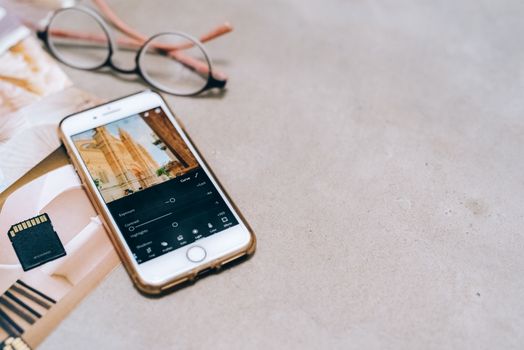
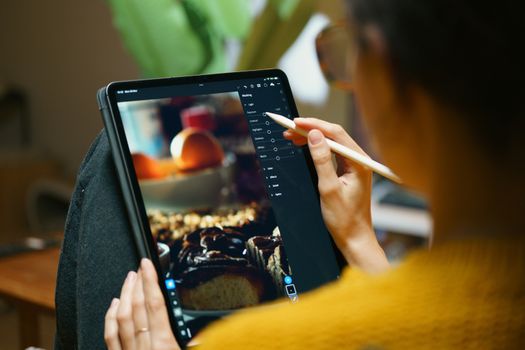
If you're serious about your travel photography, Lightroom Mobile is non-negotiable. It's the little sibling to the desktop version, but don't let its size fool you – it packs a serious punch. I use it for about 80% of my edits, especially when I'm dealing with RAW files from my mirrorless camera or high-quality smartphone shots.
Why it's trending:
Its robust features, seamless cloud sync, and the ability to apply stunning presets make it incredibly efficient for travelers. Plus, Adobe is constantly updating it with new AI-powered tools like "Adaptive Presets" that target specific elements (sky, subject) for even quicker, smarter edits.
My Personal Take:
I remember being in the bustling souks of Marrakech. The light was challenging – harsh sun outside, deep shadows inside. My photos looked either blown out or underexposed. With Lightroom Mobile, I could use the "Highlights" and "Shadows" sliders to recover detail, the "Dehaze" tool to cut through the dust, and the HSL (Hue, Saturation, Luminance) panel to make the vibrant spices and textiles truly pop without over-saturating. It's like having a digital darkroom in my pocket!
Key Features & How I Use Them:
* Presets: My absolute time-saver. I've developed a few custom presets (my "Tripsora Signature" look) that I apply as a base, then fine-tune. You can also buy incredible presets from other photographers or find free ones online. This ensures a consistent aesthetic across my entire feed.
* Selective Adjustments: Use the radial or linear gradient tools to brighten a face, darken a sky, or add contrast to a specific area. This is crucial for balancing light in complex travel scenes.
* HSL Panel: This is where the magic happens for color. Want to make the blues of the Aegean Sea more vibrant without affecting skin tones? Adjust the 'Blue' hue, saturation, and luminance. Want to mute the greens of a jungle for a moodier vibe? Go to the 'Green' slider.
* Geometry Tools: Essential for fixing skewed horizons or distorted architecture, especially common with wide-angle phone lenses.
Price:
Free for basic editing features. A Creative Cloud Photography Plan (starting around $9.99/month) unlocks premium features like cloud storage, selective adjustments, healing brush, and access to desktop Lightroom. Totally worth it if you're serious!
2. Snapseed: Google's Free Powerhouse for Quick, Intelligent Edits
Snapseed is the unsung hero for many travelers. It's completely free, incredibly powerful, and remarkably intuitive. When I need a quick but effective edit, especially on photos that need a lot of "fixing," Snapseed is my go-to.
Why it's trending:
It offers pro-level tools for free, with an incredibly user-friendly interface. Its "Selective" tool is legendary, allowing precise adjustments to small areas.
My Personal Take:
I was once on a train through the Swiss Alps. The scenery was breathtaking, but the window reflection created a distracting glare on my photos. Snapseed's "Healing" tool allowed me to meticulously remove those reflections and even a few pesky dust spots without affecting the underlying image quality. It was a lifesaver for those "once-in-a-lifetime" shots where you can't reshoot.
Key Features & How I Use Them:
* Tune Image: Basic adjustments like brightness, contrast, saturation, ambiance, and warmth are super easy with intuitive swipe controls.
* Selective Tool: This is Snapseed's superpower. You can place points on specific areas of your photo and adjust brightness, contrast, and saturation only for that spot. Perfect for brightening a face in a shaded area or making a specific flower pop.
* Healing Brush: Excellent for removing unwanted objects, blemishes, or dust spots. It's surprisingly intelligent at blending.
* Perspective Tool: Corrects skewed lines and horizons, similar to Lightroom but often more intuitive for quick fixes.
* Brushes: Dodging and burning (lightening/darkening specific areas) or adjusting exposure/saturation with a brush.
Price:
Absolutely FREE!
---
Section 2: The Aesthetic Architects – Curating Your Signature Look
Beyond basic corrections, these apps are all about style. They help you achieve that consistent, dreamy, or edgy aesthetic that makes your feed instantly recognizable and scroll-stopping.
3. VSCO: The OG of Film-Inspired Filters
VSCO (pronounced "vis-co") has been a staple in the editing world for years, and for good reason. It’s known for its beautiful, film-like filters that can instantly transform a bland photo into a moody masterpiece or a vibrant vintage snap.
Why it's trending:
While not "new," VSCO consistently updates its filter library and editing tools, keeping it relevant. Its classic, timeless aesthetic remains highly sought after for a curated, artistic feed. The ability to save "recipes" (a combination of filter and adjustments) is a huge time-saver.
My Personal Take:
I once spent a week exploring the ancient ruins of Rome. While the history was incredible, the light was often harsh, making my photos look flat and modern. Applying VSCO's A6 or C1 filter, then fine-tuning the grain and fade, instantly gave my images that timeless, melancholic, and slightly vintage feel that perfectly matched the atmosphere of the Eternal City. It was like I had shot on film!
Key Features & How I Use Them:
* Extensive Filter Library: VSCO's strength lies in its diverse range of filters, categorized by their aesthetic (e.g., "A" series for analog, "C" series for vibrant, "M" series for moody). Experiment to find your signature style.
* Fine-Tune Adjustments: Beyond filters, you get all the standard editing tools (exposure, contrast, saturation, sharpen, clarity, grain, fade, etc.) to customize your look.
* Recipes: Once you've perfected an edit, save it as a "recipe" to apply the exact same adjustments to other photos. This is key for feed consistency.
* Journal & Community: Share your photos directly to the VSCO community for inspiration and feedback.
Price:
Free for a limited selection of filters and basic tools. A VSCO X membership (approx. $29.99/year) unlocks the full library of over 200 filters, advanced editing tools, and video editing capabilities.
4. Tezza App: The Trendsetter for Modern, Editorial Vibes
If you're chasing that bright, airy, and slightly retro-chic aesthetic that dominates Instagram and TikTok, the Tezza App is your new best friend. Created by influencer Tezza Barton, this app is all about making your photos look like they belong in a high-fashion magazine.
Why it's trending:
Tezza's filters are incredibly popular for achieving a consistent, on-trend look that's perfect for fashion, lifestyle, and travel content. It also includes video editing, making it a powerful tool for Reels and Stories.
My Personal Take:
Before a trip to Paris, I decided I wanted a specific "chic city" vibe for my photos – bright, slightly warm, with a touch of film grain. The Tezza App's "Vintage" or "Coco" filters, combined with its unique dust and film textures, gave my photos of Parisian cafes and Eiffel Tower views that exact editorial feel. It made my simple snaps look effortlessly stylish, garnering so many compliments!
Key Features & How I Use Them:
* Unique Filters: Tezza's filters are distinct and designed to create specific moods – from warm and sunny to cool and moody, or vibrant and punchy.
* Grain & Dust Textures: These are fantastic for adding a retro, film-like quality that elevates the aesthetic.
* Video Editor: A full-fledged video editor allows you to apply Tezza's signature filters and effects to your travel videos, ensuring your entire content library has a cohesive look.
* Collages & Templates: Easy ways to combine photos for Instagram Stories or posts.
Price:
Subscription-based, typically around $5.99/month or $39.99/year.
---
Section 3: The Problem Solvers – Fixing What You Thought Was Unfixable
Sometimes, the perfect shot is ruined by an unwanted object, a dull sky, or a distracting element. These apps are specialists in turning those "almost perfect" photos into truly stunning ones.
5. TouchRetouch: Erase Distractions, Seamlessly
Ever had a breathtaking landscape shot ruined by a stray tourist, a power line, or an unsightly trash can? TouchRetouch is a miracle worker for removing unwanted objects from your photos with surprising ease and effectiveness.
Why it's trending:
Its AI-powered object removal is incredibly accurate, making it indispensable for travel photographers who often face crowded scenes or unexpected distractions.
My Personal Take:
During a sunrise shoot at Angkor Wat in Cambodia, a group of tourists inadvertently walked into my frame just as the light was perfect. My heart sank. But back at the guesthouse, TouchRetouch allowed me to literally "paint over" them. The app intelligently filled in the background, and you'd never know they were there. It saved what would have been an otherwise unusable photo!
Key Features & How I Use Them:
* Object Removal: Simply brush over the unwanted object, and the app intelligently removes it, filling the space with surrounding pixels. It works astonishingly well on everything from people to small blemishes.
* Line Removal: Perfect for getting rid of power lines, fences, or other linear distractions that often clutter beautiful landscapes.
* Mesh Removal: Great for removing fences or nets while preserving the background.
Price:
One-time purchase, typically around $1.99 - $3.99. An absolute steal for the power it provides!
6. Lightleap (formerly Quickshot): Master of the Skies and Creative Overlays
Lightleap is all about transforming the mood and atmosphere of your photos, particularly focusing on skies and creative light effects. If you've ever taken a photo on a grey, overcast day and wished for a dramatic sunset, this app can make it happen.
Why it's trending:
Its AI-powered sky replacement is incredibly sophisticated, allowing for realistic and stunning sky changes. The creative overlays and effects are also very popular for adding an artistic touch.
My Personal Take:
I was exploring the moody, historic streets of Edinburgh, Scotland, but the weather was, well, typically Scottish – grey and drizzly. While I loved the atmosphere, my photos lacked a certain "pop." With Lightleap, I experimented with replacing the dull sky with a dramatic, cloud-filled one, and even added some subtle light rays. It transformed my photos from charming to truly epic, without looking fake.
Key Features & How I Use Them:
* Sky Replacement: Choose from a vast library of skies (sunset, stormy, starry, clear blue) and the app seamlessly integrates it into your photo. The AI is impressive at detecting horizons and blending.
* Atmosphere Effects: Add fog, rain, rainbows, or light rays to enhance the mood.
* Light FX: Overlays like lens flares, bokeh, and abstract light patterns.
* Elements: Add subtle elements like birds, mountains, or trees to enhance a scene.
Price:
Free for basic features and limited sky options. A subscription (around $7.99/month or $35.99/year) unlocks all skies, effects, and advanced tools.
---
Section 4: The Storytellers – Bringing Your Photos to Life with Motion
While primarily known for video, these apps have powerful features that let you combine your stunning edited photos with text, music, and simple animations, perfect for Instagram Reels, TikTok, and Stories. They bridge the gap between still images and dynamic storytelling.
7. InShot & CapCut: Your Go-To for Engaging Photo Reels & Stories
These two apps are neck and neck in popularity for mobile video editing, but they are equally fantastic for creating dynamic content from your photos. Think animated text, music overlays, and creative transitions to turn a series of still images into a captivating story.
Why they're trending:
Their user-friendly interfaces, extensive music libraries, and trending effects make them essential for anyone creating short-form video content, which often features photos.
My Personal Take:
After my road trip through the Canadian Rockies, I had hundreds of incredible landscape photos. Instead of just posting them individually, I used CapCut to string together 15-20 of my best shots, added animated text captions for each location, and synced it to a trending audio track. The result was a stunning, shareable Reel that got way more engagement than just a static photo dump. InShot is equally powerful for similar tasks, especially for quick collages and adding music to single photos for Stories.
Key Features & How I Use Them:
* Photo to Video Conversion: Easily import multiple photos and set their duration.
* Music Library: Access to vast libraries of trending songs and sound effects.
* Text & Stickers: Add animated text, captions, and fun stickers to your photos.
* Transitions: Smoothly transition between photos with various creative effects.
* Filters & Effects: Apply filters and visual effects to your photos within the video sequence.
* Collage & PIP (Picture-in-Picture): InShot, in particular, has great photo collage features and the ability to layer photos/videos.
Price:
Both are free with watermarks on exports (which can usually be removed by watching an ad). Subscriptions (around $3.99-$5.99/month) remove watermarks and unlock premium features, effects, and music.
---
Section 5: Beyond the App – Pro Tips for Next-Level Travel Photography
Having the right apps is just one piece of the puzzle. To truly transform your travel pics, incorporate these pro-level habits into your workflow:
- Shoot for the Edit: Think about the end result before you even press the shutter. Is there a distracting element you can compose out? Is the light too harsh for a certain look? Shooting with editing in mind makes the post-processing much easier.
- Consistency is Key: Develop a "signature style" or preset that you apply to most of your travel photos. This creates a cohesive, professional-looking feed that tells a consistent visual story. My Tripsora feed, for example, leans towards warm, vibrant tones with a touch of film grain.
- Less is Often More: The goal isn't to make your photos look fake or over-processed. Subtle enhancements often have the biggest impact. Ask yourself: "Does this edit enhance the photo, or distract from it?"
- Understand Basic Photography Principles: Before you edit, understand composition (Rule of Thirds, leading lines), lighting (golden hour is your friend!), and exposure. A well-shot photo needs less editing.
- Back Up Your Presets/Recipes: If you spend time creating custom looks in Lightroom or VSCO, make sure to save and back them up!
- Experiment Fearlessly: The best way to learn is to play around! Don't be afraid to try new filters, tools, or techniques. You'll discover what works best for your style and your travel stories.
- Consider RAW: If your phone or camera allows, shoot in RAW format. These files capture much more information than JPEGs, giving you far greater flexibility and quality when editing, especially in apps like Lightroom.
---
Conclusion: Your Travel Story, Elevated
The world is waiting for your unique perspective. With these trending photo editing apps in your pocket, you have the power to transform your travel memories from simple snapshots into captivating visual narratives. No more dull skies, no more muted colors, no more distracting tourists – just pure, unadulterated travel magic.
From the vibrant streets of Hanoi to the serene fjords of Norway, every destination has a story, and these apps are your tools to tell it beautifully. So, download them, experiment, and unleash your inner travel photographer. Get ready for those double-taps, the "where is this?!" comments, and the sheer joy of seeing your travel photos truly shine.
Now it's your turn! What's your go-to app for transforming travel pics? Share your favorite editing tricks and your transformed photos with us using #TripsoraTransforms on Instagram! Let's inspire each other to capture the world in all its glory.
---