Unlock Travel Magic: Time-Lapse Videos You MUST Create Before You Die
I remember standing on the edge of the caldera in Santorini, Greece, camera perched precariously on a mini-tripod, watching the sun dip below the Aegean Sea. Tourists jostled, champagne corks popped, and the iconic white-washed villages glowed in a kaleidoscope of oranges, pinks, and purples. It was a moment I desperately wanted to freeze, but also capture its fleeting, dynamic beauty. That night, hunched over my laptop in a tiny Oia apartment, I stitched together my first truly epic time-lapse. The result? Pure magic. Hours of ethereal light and subtle shifts compressed into a mesmerizing 30-second video that still gives me goosebumps.
That moment wasn't just about capturing a sunset; it was about capturing the essence of a place, the flow of time, and the feeling of being there. It’s a superpower, really. And it’s a superpower I want you to wield on your next adventure. Forget static photos; time-lapse videos are the ultimate way to bring your travel stories to life, to share the pulse of a city, the dance of the clouds, or the silent majesty of the cosmos.
This isn't just a guide; it's an invitation to elevate your travel memories from good to absolutely legendary. So, pack your bags, charge your batteries, and get ready to create some of the most breathtaking visual diaries of your life. These are the time-lapse videos you need to experience creating before you die.
Why Time-Lapse? More Than Just a Video, It's a Time Machine!
Before we dive into the nitty-gritty, let's talk about why. Why go through the effort of setting up a camera for hours when you could just snap a quick photo or a regular video? Because a time-lapse isn't just a recording; it's an interpretation of reality. It reveals patterns and beauty that are invisible to the naked eye.
Think about it:
* The Dance of the Clouds: Watch an entire storm front roll in or dissolve over a mountain range in mere seconds.
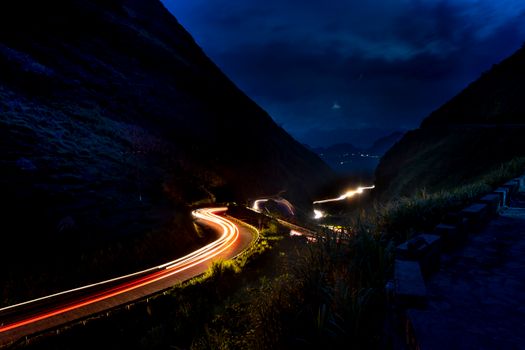
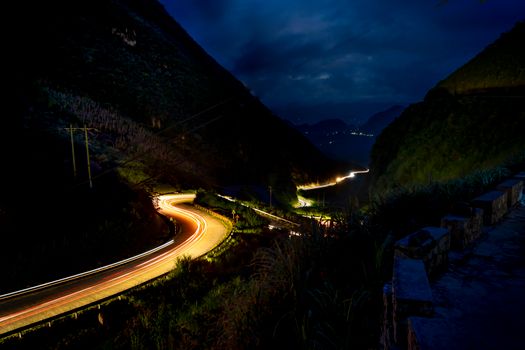
* The Pulse of a City: See traffic flow like rivers of light, pedestrians swarm like ants, and skyscrapers light up as dusk descends.
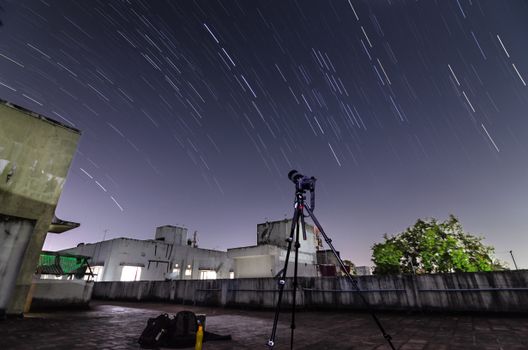
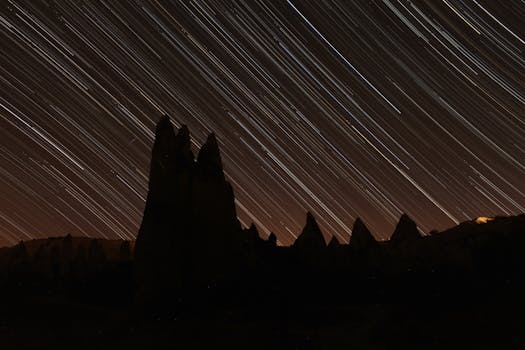
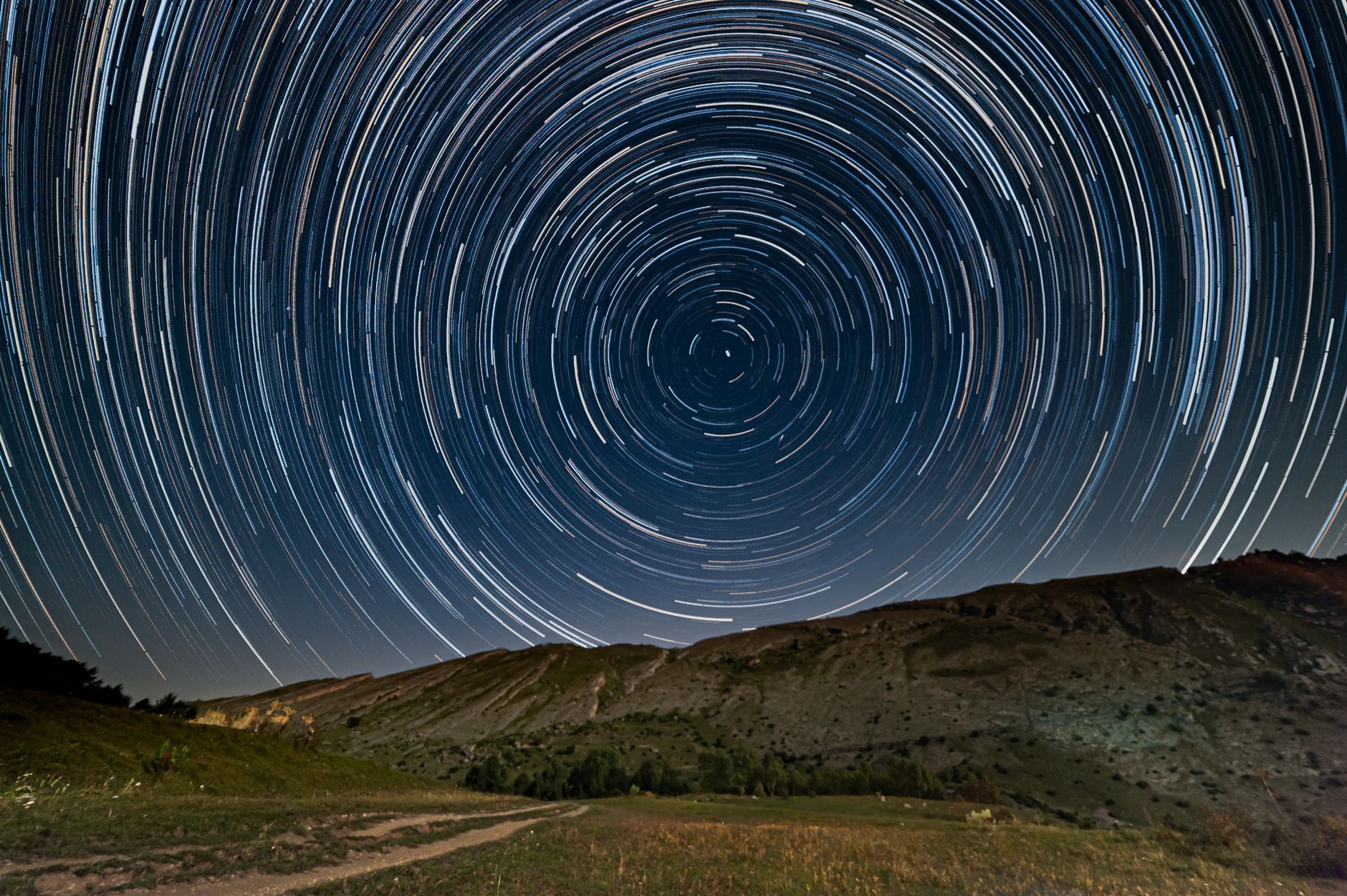
* Celestial Wonders: Witness star trails arc across the night sky, a full moon rise, or even the subtle movement of the Milky Way.
* The Unfolding of Nature: A flower blooming, a tide coming in, or ice melting – moments often too slow for us to truly appreciate in real-time.
My first "aha!" moment with time-lapse wasn't the Santorini sunset, but actually a bustling street market in Marrakech. I set up my camera overlooking the Djemaa el-Fna square. For an hour, I watched the chaos below, the snake charmers, the storytellers, the food stalls appearing as if by magic. The resulting time-lapse was a symphony of movement, a vibrant tapestry of life that a regular video couldn't quite convey. It was the energy, the spirit of the square, distilled into a powerful, short film. That’s the magic – it lets you tell a story that transcends regular video and photography.
Your Time-Lapse Arsenal: Gear That Gets the Shot
You don't need a Hollywood budget, but a few essential pieces of gear will make your time-lapse journey infinitely smoother and more rewarding.
- The Camera:
- DSLR/Mirrorless: Your best bet for quality. Cameras like the Sony a7 series, Canon R series, or Nikon Z series offer excellent image quality, manual controls, and often built-in intervalometers. You can shoot in RAW, which is crucial for post-processing.
- Smartphone: Surprisingly capable! Newer iPhones and Androids have built-in time-lapse modes. While you won't get RAW files or as much control, they are fantastic for spontaneous, quick time-lapses and incredibly convenient.
- GoPro: Great for action-packed or rough environments, especially with their wide-angle lens. Good for capturing extreme angles or underwater time-lapses.
- My Pick: For serious travel time-lapses, I always bring my Sony a7 III with a versatile wide-angle lens (like a 16-35mm). It's a workhorse.
- The Tripod (Non-Negotiable!):
- This is arguably the most important piece of gear. Your camera must be absolutely still for hours.
- Travel Tripod: Look for lightweight carbon fiber options. Brands like Manfrotto BeFree or Peak Design Travel Tripod are fantastic, though an investment.
- Mini Tripod/GorillaPod: For quick setups, low angles, or attaching to railings. I always carry a Joby GorillaPod 3K for versatility.
- Personal Tip: Never, ever skimp on your tripod. A wobbly shot is a ruined shot. I once tried to balance my camera on a rock in Patagonia for a cloud time-lapse. A slight gust of wind and it nearly toppled. Learn from my near-disaster!
- Intervalometer:
- This device tells your camera to take a photo at specific intervals. Many modern cameras have one built-in (check your menu!).
- If not, an external wired or wireless remote intervalometer is cheap and essential.
- Batteries & Memory Cards:
- Time-lapses consume battery life and memory fast. Bring at least 2-3 extra batteries and several large (64GB+), fast SD cards.
- Power Bank: If your camera can charge via USB-C, a high-capacity power bank can extend your shoot for hours, especially for long night time-lapses.
- Optional but Recommended:
- Neutral Density (ND) Filters: Like sunglasses for your lens. Essential for long exposures during daylight, creating buttery-smooth motion blur in clouds or water.
- Rain Cover/Lens Hood: Protects your gear from the elements.
- Microfiber Cloths: For wiping spray or dust.
Mastering the Art: Settings & Techniques for Stunning Time-Lapses
This is where the magic happens – understanding how to tell your camera what to do.
- Manual Mode is Your Co-Pilot (M Mode):
- Forget auto. For time-lapse, you need consistent exposure across hundreds or thousands of frames. Set your camera to Manual mode.
- Aperture (f-stop): Controls depth of field. For landscapes, a higher f-stop (e.g., f/8 to f/11) keeps everything in focus.
- ISO: Keep it as low as possible (e.g., ISO 100-400) to minimize noise, especially for daylight shots. For night, you'll need higher (e.g., ISO 800-3200).
- Shutter Speed: Crucial for motion blur. For moving clouds or water, a longer shutter speed (e.g., 1/15th to 1/2 second with an ND filter) creates a beautiful, smooth effect. For stars, you'll need much longer (15-30 seconds).
- Interval & Duration: The Rhythm of Time:
- This is how often your camera takes a photo. The key is to match the interval to the speed of movement in your scene.
- Fast movement (crowds, traffic): 1-2 second interval.
- Medium movement (clouds, sunset): 3-5 second interval.
- Slow movement (stars, construction): 15-30 second interval.
- Calculating Total Frames/Video Length:
- Desired video length (seconds) x Frame rate (e.g., 24 or 30 fps) = Total frames needed.
- Total frames x Interval = Total shoot time.
- Example: For a 10-second video at 24fps with a 5-second interval: 10s * 24fps = 240 frames. 240 frames * 5s interval = 1200 seconds (20 minutes) shoot time.
- Focus & White Balance: Lock it Down!
- Manual Focus: Switch your lens to manual focus and set your focus point (usually infinity for landscapes). This prevents the camera from "hunting" for focus, causing annoying flickering.
- Manual White Balance: Set your white balance manually (e.g., Daylight, Cloudy, or a specific Kelvin temperature). Auto white balance will shift between frames, causing color flickering.
- Composition: Frame Your Story:
- Apply standard photography rules: Rule of Thirds, leading lines, foreground interest.
- Look for dynamic elements: something that moves (clouds, people) and something static (a landmark, a mountain) to provide contrast.
- My Go-To: I often look for a strong foreground element, like ancient ruins or a distinctive building, to anchor the shot, with dynamic skies or city life in the background.
- The Holy Grail (Day-to-Night Transitions):
- This is the pinnacle of time-lapse: capturing a scene from bright daylight through sunset to deep night. It's challenging because exposure needs to change dramatically. This requires specialized software like LRTimelapse, which intelligently ramps exposure settings.
Iconic Scenes & Where to Find Them (Traveler's Inspiration)
Every destination offers unique time-lapse opportunities. Here are some of my favorites, with a few personal stories:
- Bustling Cityscapes:
- Hong Kong, Victoria Peak: The ultimate city time-lapse. The dense skyscrapers, the harbor, the constant flow of clouds – it’s a living painting. I spent 3 hours there one evening, battling for a spot, but the resulting video of the city lighting up was worth every second.
- Tokyo, Shibuya Crossing: The sheer volume of people crossing simultaneously is hypnotic. Find a high vantage point (like the Starbucks on the second floor of the Tsutaya building, though often crowded) and capture the organized chaos.
- New York City, Times Square: The neon, the screens, the yellow cabs – it's a sensory overload that translates incredibly well into a high-speed urban symphony.
- Natural Wonders & Landscapes:
- Grand Canyon, Arizona, USA: Sunrises and sunsets here are legendary. The changing light playing across the vast canyon walls is breathtaking. I camped out near Mather Point to get an uninterrupted view.
- Iceland, Vík Beach or Jökulsárlón Glacier Lagoon: The movement of waves, icebergs, or the elusive Northern Lights. Capturing the Aurora Borealis requires long exposures (15-30 seconds per frame) and patience, but the result is truly out of this world.
- Patagonia, Torres del Paine, Chile: The clouds here move at warp speed. I once captured an entire day's weather cycle – sun, clouds, rain, sun again – over the iconic granite peaks from my tent. Pure drama!
- Cultural Immersion:
- Angkor Wat, Siem Reap, Cambodia: The sunrise over the ancient temple is iconic. Get there before dawn (around 5 AM for the $37 day pass) and set up by the reflecting ponds. The gradual illumination of the temple as the sky brightens is deeply spiritual. Just be prepared for the crowds – compose your shot to minimize them!
- Marrakech, Djemaa el-Fna, Morocco: As mentioned, the square transforms from quiet to chaotic. Find a spot on a rooftop terrace (many cafes offer this) and watch the magic unfold.
- Any bustling market: From Mexico City's Mercado de Artesanías to Bangkok's Chatuchak Weekend Market, the energy, the people, the movement of goods – it’s a fantastic subject.
The Magic After the Capture: Post-Production Workflow
The shoot is only half the battle. Bringing your time-lapse to life in post-production is where your vision truly takes shape.
- Software Essentials:
- Adobe Lightroom Classic: For processing your RAW image sequence. Essential for color correction, exposure adjustments, and sharpening. (Subscription: approx. $9.99/month for Photography Plan)
- LRTimelapse: Absolutely crucial for deflickering and smoothly transitioning exposure for "Holy Grail" day-to-night time-lapses. It integrates seamlessly with Lightroom. (One-time license: approx. €99 for private use)
- Video Editing Software: Adobe Premiere Pro, DaVinci Resolve (free!), Final Cut Pro, or even iMovie (for Mac users). This is where you assemble your image sequence into a video, add music, and fine-tune.
- Step-by-Step Workflow:
- Import to Lightroom: Get all your RAW photos into a new catalog.
- Edit the First Frame: This is your master frame. Adjust white balance, exposure, highlights, shadows, colors, and sharpness to perfection.
- Sync Settings: Copy the settings from your first frame to all other frames in the sequence.
- Deflicker (LRTimelapse): If you have any exposure inconsistencies, LRTimelapse is a lifesaver. It analyzes your sequence and smooths out those annoying flickers. For day-to-night shots, it helps create seamless exposure ramps.
- Export as JPEG Sequence: Export all your edited frames as high-quality JPEGs (or TIFFs for maximum quality, but larger files).
- Assemble in Video Editor: Import your JPEG sequence into your chosen video editor. The software will often recognize it as an image sequence.
- Set Frame Rate: Choose your desired frame rate (24, 25, or 30 frames per second are standard).
- Add Music & Sound Design: This is HUGE. The right music can elevate your time-lapse from good to incredible. Choose something that matches the mood and pace of your visuals. Consider adding subtle ambient sound effects (city hum, ocean waves) for immersion.
- Color Grade & Polish: Do any final color adjustments or add subtle effects.
- Export Final Video: Render your masterpiece in a high-quality format (e.g., H.264, 1080p or 4K).
My Tip: Don't be intimidated by the software! Start simple. Even just editing your RAW files in Lightroom and assembling them in a free editor like DaVinci Resolve or iMovie can yield stunning results. The learning curve is worth it!
Overcoming Obstacles & Advanced Techniques
Travel time-lapsing isn't always smooth sailing. Here's how to tackle common challenges and push your creativity further:
- Flickering Fixes:
- Cause: Inconsistent exposure, white balance shifts, or aperture changes (even slight ones) between frames.
- Solution: Manual mode for everything (exposure, focus, white balance). Use LRTimelapse for advanced deflickering.
- My Experience: Early on, I often forgot to lock my white balance, leading to frustrating color shifts. Now it's the first thing I check!
- Battery Drain & Storage:
- Challenge: Long sequences, especially in cold weather, can kill batteries fast.
- Solution: Always carry multiple spare batteries. If your camera supports USB-C charging, use a high-capacity power bank. For extreme cold, keep batteries warm in your pockets.
- Tip: Bring a large external hard drive for backup. You'll be taking thousands of photos!
- Weather Woes:
- Rain/Snow: Use a rain cover for your camera. A lens hood helps keep water off the front element.
- Wind: Your tripod is your best friend. Hang your camera bag from the center column to add stability. Avoid flimsy tripods.
- Extreme Heat/Cold: Protect your gear. Batteries drain faster in cold; overheating can be an issue in extreme heat.
- Security & Etiquette:
- Leaving Gear Unattended: Never leave your camera setup alone in a crowded or high-risk area. I once had a close call in Rome where someone almost walked off with my camera bag while I was focused on a shot. Keep an eye on it!
- Respect Others: Don't block views or become a nuisance. Be discreet, especially in cultural or religious sites. Ask permission if you're unsure.
- Hyperlapse (The Dynamic Time-Lapse):
- This is a time-lapse where the camera itself is moving, creating a dynamic, often dizzying effect. Think walking through a city street or moving along a landmark.
- Technique: Mark your steps, take a picture, move to the next mark, take a picture. Requires immense patience and a lot of post-stabilization, but the results are incredibly engaging. It's like a moving tour through time!
- Motion Control:
- For truly cinematic time-lapses, consider a motorized slider or pan-tilt head. These devices move your camera slowly and precisely during the capture, adding dynamic camera movement (e.g., a slow pan across a cityscape). This is an advanced investment but yields stunning results.
Your Time to Shine: Go Forth and Create!
Creating time-lapse videos while traveling is more than just a technical exercise; it's a profound way to connect with a place, to observe its rhythms, and to experience time in a new dimension. It forces you to slow down, to be present, and to truly see the world unfolding around you.
The satisfaction of watching hours of an epic sunset, a bustling market, or a star-filled night sky compress into a powerful, shareable 30-second masterpiece is unparalleled. These aren't just videos; they're snippets of your life's greatest adventures, distilled into pure visual poetry. They are the stories you'll rewatch, share, and cherish forever.
So, what are you waiting for? Grab your gear, pick a destination, and start experimenting. Don't be afraid to make mistakes – that's how you learn. The world is full of moments waiting to be compressed and celebrated.
Now it's your turn! What's your dream location for a time-lapse video? Or have you already captured one you're incredibly proud of? Share your stories and questions in the comments below! And when you create your next masterpiece, tag us with #TripsoraTimeLapse – we can't wait to see your magic!
---