Beach Office Bliss: Hack Your Laptop Safe for November 2025!
Let’s be honest, we’ve all seen those Instagram posts: a perfectly tanned individual, laptop open, turquoise waves lapping just feet away, a coconut drink chilling beside them. It’s the ultimate digital nomad fantasy, isn’t it? The freedom, the warmth, the sheer audacity of running a business from paradise. I bought into it, hook, line, and sinker.
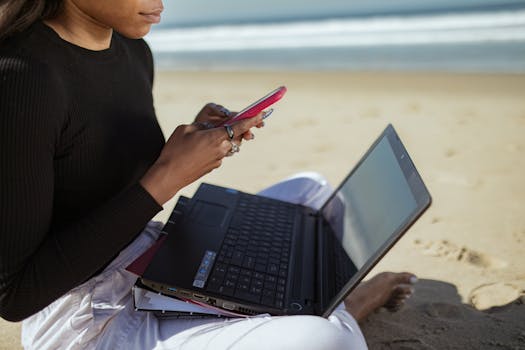
My first attempt at the "beach office" was in El Nido, Philippines, a few years back. The sun was glorious, the water impossibly blue, and my excitement was palpable. I carefully laid my towel, set up my shiny new MacBook Pro, and prepared to conquer my inbox. Within five minutes, a rogue gust of wind sent a fine mist of sand directly into my keyboard. My screen glared back at me, rendering everything unreadable. And then, the ultimate indignity: a cheeky crab, clearly unimpressed with my corporate ambitions, scuttled under my laptop. That day, I learned a crucial lesson: the beach is a beautiful, brutal mistress, especially to delicate electronics.
Fast forward to today, and I’ve cracked the code. I’ve worked from beaches in Bali, Mexico, Thailand, and Costa Rica, not just surviving, but thriving. My laptop? Still pristine. My sanity? Largely intact. And with November 2025 just around the corner – a perfect time to escape the northern chill and chase some equatorial sun – I’m here to arm you with all the knowledge you need to make your beach office dream a safe and productive reality.
This isn't just about throwing a towel down; it’s about strategy, preparation, and a little bit of tech wizardry. Let's dive in!
The Unholy Trinity: Sand, Sun, and Saltwater – Your Laptop's Arch-Nemesis
Before we talk solutions, let’s understand the enemy. These three elements are specifically designed to wreak havoc on your precious gear.
- Sand: It's insidious. It gets everywhere. Those tiny grains can work their way into your keyboard switches, trackpad, ports, and even fan vents, causing sticky keys, unresponsive buttons, and overheating. I once saw a friend's laptop fan sound like a coffee grinder after a particularly windy beach session in Tulum. The repairs? Eye-watering.
- Sun: Direct sunlight is a dual threat. First, it causes screen glare, making it impossible to see what you're doing. Second, and far more dangerously, it overheats your laptop. Lithium-ion batteries degrade rapidly under high temperatures, and internal components can warp or fail. Not to mention, prolonged exposure can cause your screen to develop "sunburn" marks – permanent discolorations.
- Saltwater: This is the ultimate killer. Even a tiny splash can corrode internal components faster than you can say "data recovery." The salt accelerates rust and short-circuits circuitry, often leading to irreversible damage. Humidity, too, is a silent assassin, slowly corroding connections over time.
Understanding these threats is the first step to conquering them. Now, let’s build your digital fortress!
The Digital Nomad's Armor: Essential Gear for Beach Productivity
You wouldn't go into battle without armor, and the beach is no different. Equipping yourself with the right tools is non-negotiable.
- The Ultimate Protector: A Waterproof, Sandproof Dry Bag: This is your laptop's personal bunker. Forget flimsy sleeves. Invest in a proper roll-top dry bag (like an Earth Pak or Sea to Summit) that's rated for submersion. Even if you don't plan on swimming with your laptop (please, don't), it offers unparalleled protection from splashes, sandstorms, and unexpected downpours. Pro Tip: Get one slightly larger than your laptop so you can fit your power brick and a few other essentials. I picked up a 20L one for about $30-40 in Bali, and it's been a lifesaver.
- The Glare Slayer: Anti-Glare Screen Protector/Hood: A high-quality matte screen protector is a game-changer for visibility. It won't eliminate all glare, but it significantly reduces it. For serious sun warriors, consider a portable laptop hood or shade (some are collapsible and surprisingly effective, costing around $20-50). Alternatively, many portable monitors come with much brighter screens, making them better suited for outdoor use.
- The Elevated Sanctuary: Portable Laptop Stand/Cooling Pad: Get your laptop off the sand! A foldable, lightweight laptop stand (like a Roost stand, around $80) not only improves ergonomics but also keeps your device elevated, away from sand and allows for better airflow, preventing overheating. Combine this with a small, USB-powered cooling pad for extra peace of mind if you're doing intensive tasks.
- The Sand Barrier: Keyboard Protector/Cover: A silicone keyboard cover is cheap (under $10) and effective. It creates a physical barrier against sand, dust, and minor spills. Yes, it might feel a little different to type on, but it's a small price to pay for protection.
- The Power Ranger: High-Capacity Power Bank: Finding an outlet on the beach is like finding a unicorn. A robust power bank (20,000mAh or more, costing $50-100) that can charge your laptop via USB-C is essential for extended sessions. Always check if it supports Power Delivery (PD) for faster charging.
- The Dust Buster: Compressed Air Duster/Brush Kit: Even with all precautions, some sand might sneak in. A small can of compressed air and a soft-bristle brush (part of a cheap tech cleaning kit, under $15) are vital for gently removing debris from ports and crevices after your beach session, never during.
- The Connectivity King: Portable Wi-Fi Hotspot or Local SIM: Relying on patchy beach shack Wi-Fi is a recipe for frustration. A portable Wi-Fi hotspot (like a GlocalMe or a local SIM card with a generous data plan) ensures you stay connected. In November 2025, 5G will be even more widespread, making this an even more reliable option in many coastal areas. I snagged a SIM in Thailand for 30 days with unlimited data for about $25 – unbeatable.
Strategic Setup: Mastering Your Beach Workspace
This is where the art meets the science. It's not just about what you bring, but how you use it.
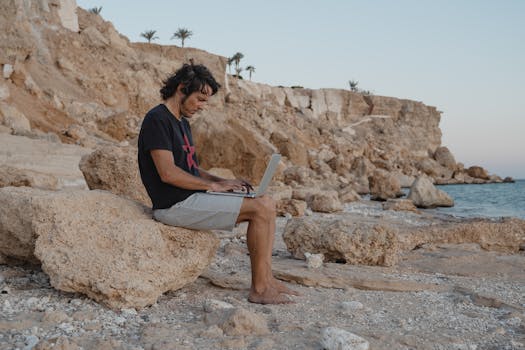
- Seek the Shade, Embrace the Breeze: This is your golden rule. A large beach umbrella is your best friend. Position yourself so the sun is behind you, or even better, find natural shade under a palm tree or a sturdy beach shelter. Crucially, position your workspace so you're not facing directly into the wind, which can blow sand onto your gear. I vividly remember a perfect spot under a huge banyan tree on Koh Lanta, Thailand – natural shade, gentle breeze, and no direct sand assault.
- Elevate, Elevate, Elevate: Your laptop stand is doing double duty here. It lifts your laptop off the sand and provides better ergonomics. If you don't have a stand, use a sturdy book or a stack of towels as a makeshift platform. Never put your laptop directly on the sand or a towel on the sand – the latter just invites more grit.
- The Towel Perimeter: Lay down a large beach towel or mat underneath your entire workspace. This creates a buffer zone, catching any sand that might be kicked up or blown around.
- The Power Play: Secure Your Cables: Cables are trip hazards and can drag sand into ports. Keep them tidy and elevated. Use cable ties or velcro straps to manage them. If using a power bank, keep it in your dry bag or a separate waterproof pouch, away from the elements.
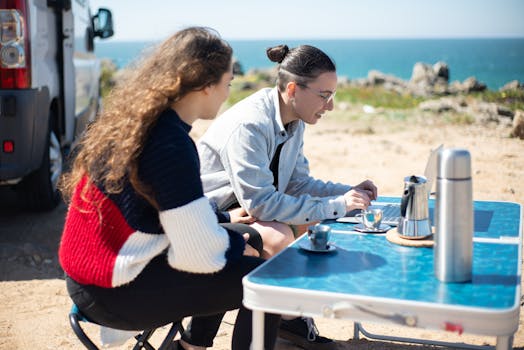
- Water Wisdom: Keep your drinks (and any other liquids) far, far away from your laptop. A wide-bottomed, spill-proof mug is preferable to an open coconut or a flimsy plastic cup. My personal rule: liquids go on the other side of my body from my laptop.
- Tide and Time: Always check the tide charts if you're working close to the water. Nothing ruins a productive flow like having to scramble as the ocean claims your workstation. Also, consider the time of day. Early mornings or late afternoons often offer softer light and cooler temperatures, making for a more comfortable and safer work environment. My favorite "office hours" are 7-10 AM in Canggu, Bali, when the beach is quiet and the sun is still gentle.
Daily Rituals & Digital Discipline: Keeping Your Flow (and Your Laptop) Safe
It's not just about the setup; it's about the habits you cultivate.
- The Pre-Beach Prep: Before you even leave your accommodation, ensure your laptop is fully charged. Transfer any crucial files to cloud storage or an external hard drive (stored safely, of course). Check the weather forecast.
- The "No-Touch" Rule: Once your hands have touched sand or saltwater, they are contaminated. Do not touch your laptop without thoroughly cleaning and drying your hands first. Keep a small bottle of hand sanitizer or wet wipes nearby.
- Regular Breaks (and Laptop Retreats): The beach is designed for relaxation. Take advantage of it! Step away from your laptop every hour or so. Use these breaks to check for overheating, wipe down surfaces with a microfiber cloth, and give your eyes a rest. If the sun gets too intense, or the wind picks up, don't hesitate to pack up and retreat to a cafe or your accommodation. Your laptop will thank you.
- The Post-Beach Decontamination Ritual: This is crucial. Before you open your laptop indoors, give it a thorough once-over.
- Exterior Wipe: Use a slightly damp (with fresh water, not saltwater!) microfiber cloth to wipe down the exterior, removing any visible salt residue or dust.
- Port Check: Use a soft brush or a gentle puff of compressed air (from a distance!) to clear out any sand from ports. Never insert anything metallic or sharp into the ports.
- Keyboard Clean: If you have a keyboard cover, remove it and clean both sides. If not, gently brush the keyboard with a soft brush.
- Fan Vents: Check your fan vents for any obstructions.
- Dry Everything: Ensure everything is completely dry before closing your laptop or putting it back in a bag.
- Humidity Management: If you're in a consistently humid environment, consider keeping silica gel packets in your laptop bag to absorb moisture. When you're not working, store your laptop in a cool, dry place.
Beyond the Beach: Where to Actually Work When You're Near the Beach
Let's be real: working on the beach is a fantastic experience for an hour or two, for light tasks, or for that perfect Instagram shot. But for serious, focused work, it’s often not the most productive environment. That’s where your "near-beach" strategy comes in.
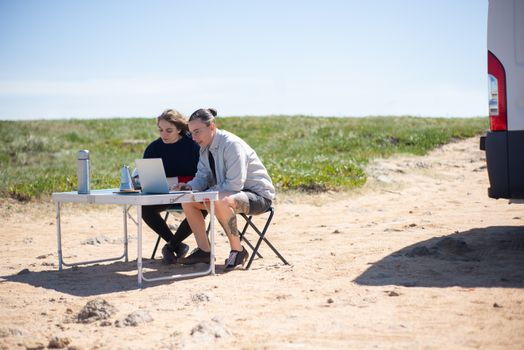
- Beachfront Cafes & Restaurants: Many coastal towns are brimming with cafes that offer stunning ocean views, reliable Wi-Fi, and actual tables and chairs. These are often my go-to spots for longer work sessions. Look for places with good overhead fans or air conditioning. In Puerto Escondido, Mexico, I found a fantastic little cafe with strong coffee and even stronger Wi-Fi, just steps from Zicatela beach. The vibe was perfect for a productive afternoon.
- Co-working Spaces: The digital nomad movement has led to an explosion of co-working spaces in popular beach destinations. Places like Canggu, Bali, or Lisbon, Portugal (if you count its proximity to beaches) have world-class facilities. These offer stable internet, ergonomic setups, networking opportunities, and a climate-controlled environment – all the comforts your laptop craves. Prices vary, but a day pass usually runs $10-20.
- Your Accommodation's Balcony/Patio: If your guesthouse, Airbnb, or hotel has a private balcony or patio with a view, it can be an ideal compromise. You get the fresh air and the sounds of the ocean without the sand and direct sun exposure. Just ensure it's well-shaded and has a stable surface. I've had some incredibly productive mornings on a simple patio overlooking the ocean in a small Airbnb in Costa Rica.
- Quiet Corners of Beach Resorts: If you're staying at a resort, many have shaded common areas, libraries, or even dedicated business centers that offer a quiet, comfortable alternative to the actual beach.
The key is flexibility. Embrace the beach for short, inspiring bursts, but know when to retreat to a more controlled environment for deep work. November 2025 offers a sweet spot in many tropical locations – often outside peak rainy season but still warm and inviting.
My Personal Beach Office Survival Guide: Anecdotes & Pro Tips
I’ve learned a lot over the years, often the hard way. Here are some of my most valuable lessons and tips:
- The "Pocket Test": Before you even think about opening your laptop, put your hand in your pocket. Is there sand? If so, clean your hands thoroughly. This simple ritual has saved me countless times.
- Embrace the "Less is More" Philosophy: You don't need your entire desk setup on the beach. Streamline your workflow for beach days. Focus on tasks that don't require multiple monitors or heavy processing. Save video editing for the air-conditioned co-working space.
- The "Shadow Play" Method: On days when a full umbrella isn't practical, I become a master of shadow tracking. I'll move my setup every 30-45 minutes, following the shade of a palm tree or a small building. It's a bit of a dance, but it keeps my screen visible and my laptop cool.
- Local Sim Card is King: Don't rely on public Wi-Fi. Get a local SIM with a generous data package as soon as you land. It's almost always cheaper and more reliable than international roaming or patchy hotel Wi-Fi. In Vietnam, I got a tourist SIM with unlimited data for 30 days for less than $10 – incredible value.
- Always Have a Backup Plan: Technology fails, especially in harsh environments. Regularly back up your work to cloud storage. Consider traveling with a cheap, secondary "beach laptop" for less critical tasks if you're truly paranoid.
- Don't Forget Your Eyes! All that screen time in bright conditions can strain your eyes. Invest in good quality polarized sunglasses and take frequent breaks to gaze at the horizon. Your vision is more important than that email.
November 2025 is closer than you think, and the dream of working from a sun-drenched beach is absolutely achievable without sacrificing your precious tech. It just requires a little foresight, the right gear, and a healthy respect for Mother Nature. Imagine sharing that Instagram photo of your perfectly safe, productive beach office – the envy of all your friends stuck in the cold!
So, what are you waiting for? Start planning your ultimate beach office escape. Gear up, strategize, and get ready to redefine your workspace.
What are your best tips for working remotely from a beautiful (but challenging) location? Share your experiences and must-have gear in the comments below! Let's build the ultimate community guide for the November 2025 beach office adventurers!
---